Cài đặt Jenkins Agent trên Proxmox VE
Step 1: Khởi tạo Container
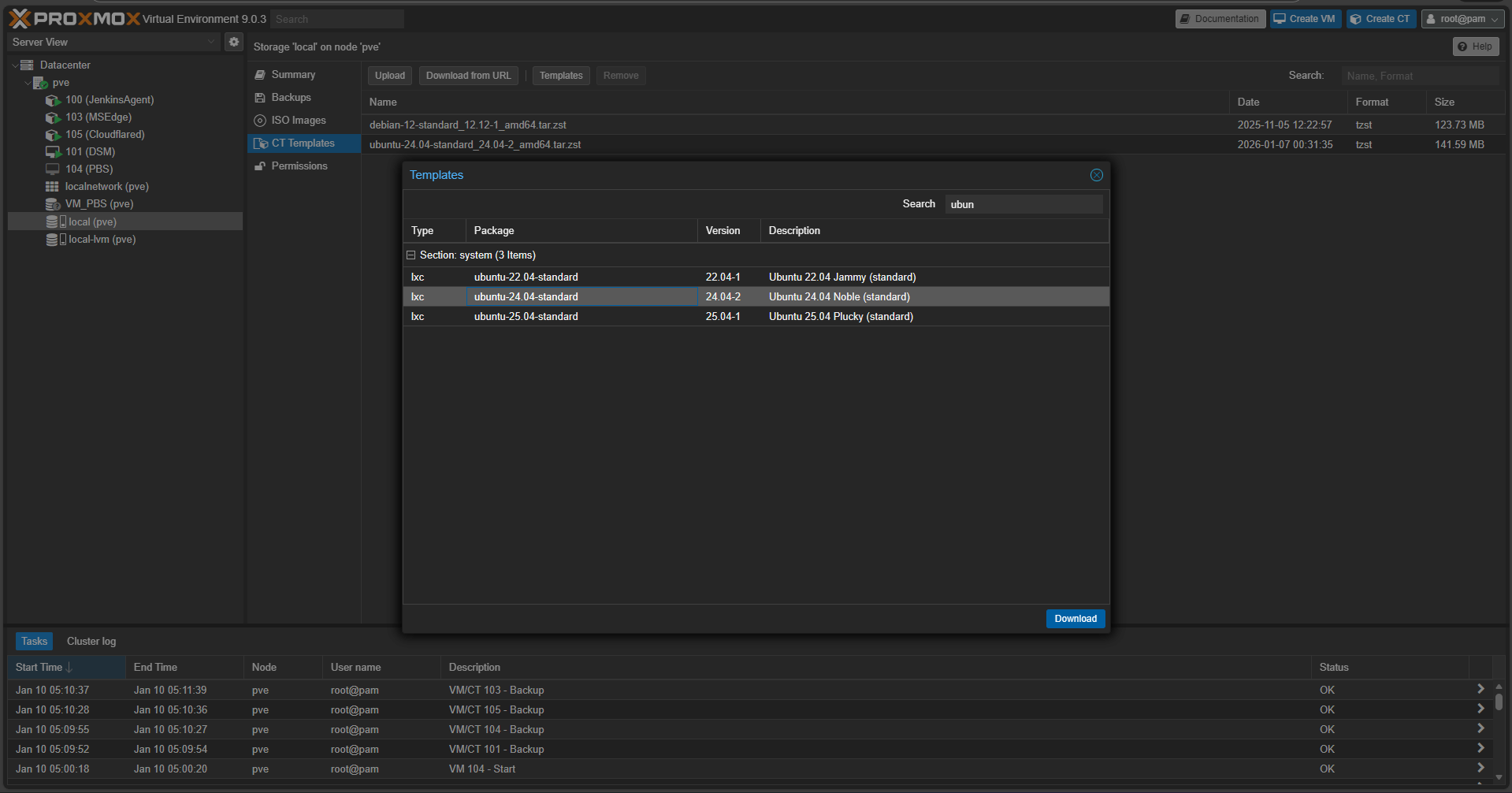
- Tải template: Trên PVE tải template Ubuntu 24.04

- Tại CT với template Ubuntu vừa tải về
- CPU: 2 - 4 core
- RAM: 2048 MB (Swap 512 MB)
- Disk: 16GB (có thể mở rộng thêm nếu cần)
- Network: sử dụng Static IP dạng 192.168.1.100/24 (nhớ điền Gateway 192.168.1.1)
- Ok, Create and Start container vừa tạo.
Step 2: Thiết lập môi trường cho Agent
Đăng nhập vào Agent với quyền root và mật khẩu đã tạo.
- Cài đặt các tools cần thiết:
apt update && apt upgrade -y // Update các package đã có trong hệ thống.apt install openjdk-17-jdk git curl -y // Cài đặt JDK, Git, curl
- Tạo user riêng cho jenkins
adduser jenkins // Tạo user tên là jenkins
- Tạo thư mục làm việc và cấp quyền cho
jenkinsmkdir -p /var/jenkins_home // Tạo thư mục jenkins_homechown -R jenkins:jenkins /var/jenkins_home // Cấp quyền cho user jenkins
- Chuyển SSH từ Socket sang Service (Mặc định SSH sẽ ở socket, chỉ hoạt động khi có yêu cầu. Để tránh gặp lỗi trong quá trình tự động thì nên chuyển sang Service)
systemctl stop ssh.socketsystemctl disable ssh.socketsystemctl enable ssh.servicesystemctl start ssh.service
Step 3: Thiết lập SSH Key
Tạo SSH Key để Jenkins Master có thể ra lệnh cho Agent mà không cần nhập mật khẩu mỗi khi cần build.
# Chuyển sang user jenkins
su - jenkins
# Tạo key (không đặt passphrase)
ssh-keygen -t rsa -b 4096 -f ~/.ssh/id_rsa

# Tự cấp quyền cho chính mình (Authorized Keys)
cd ~/.ssh
cat id_rsa.pub >> authorized_keys
chmod 700 ~/.ssh
chmod 600 ~/.ssh/authorized_keys

# Hiển thị Private Key để copy vào Jenkins Master
cat id_rsa
Step 4: Tạo Node mới trên Jenkins Master
- Tạo Credentials mới loại SSH Username with private key với Private Key vừa lấy ở bước trên.
- Chú ý domain là global
- Tạo Node. Jenkins Master > Manage Jenkins > Node > New Node
- Remote root directory:
/var/jenkins_home(thư mục làm việc đã tạo ở trên) - Label: label bất kỳ để dùng trong jenkinsfile.
- Host: IP của Agent đã tạo ở Bước 1.
- Host Key Verification Strategy: Chọn "Non-verifying Verification Strategy".
- Remote root directory:
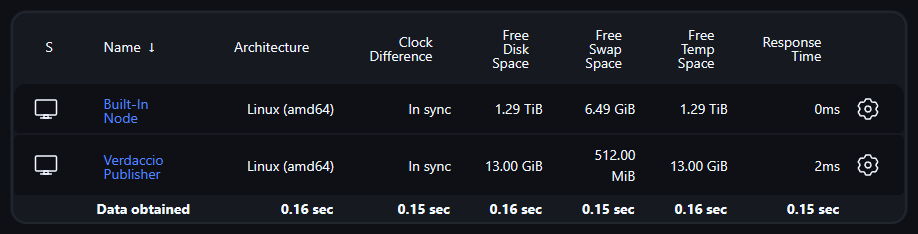
- Ok tạo Node. Nếu có respond như hình thì tức là đã tạo và kết nối thành công. Nếu không thì kiểm tra log để biết vấn đề.

Step 5: Update Jenkinsfile
- Thay đổi chính so với Agent Windows:
bat>shdel /F /Q>rm -f