Tích hợp FacebookSDK - Open SSL not found
Vấn đề
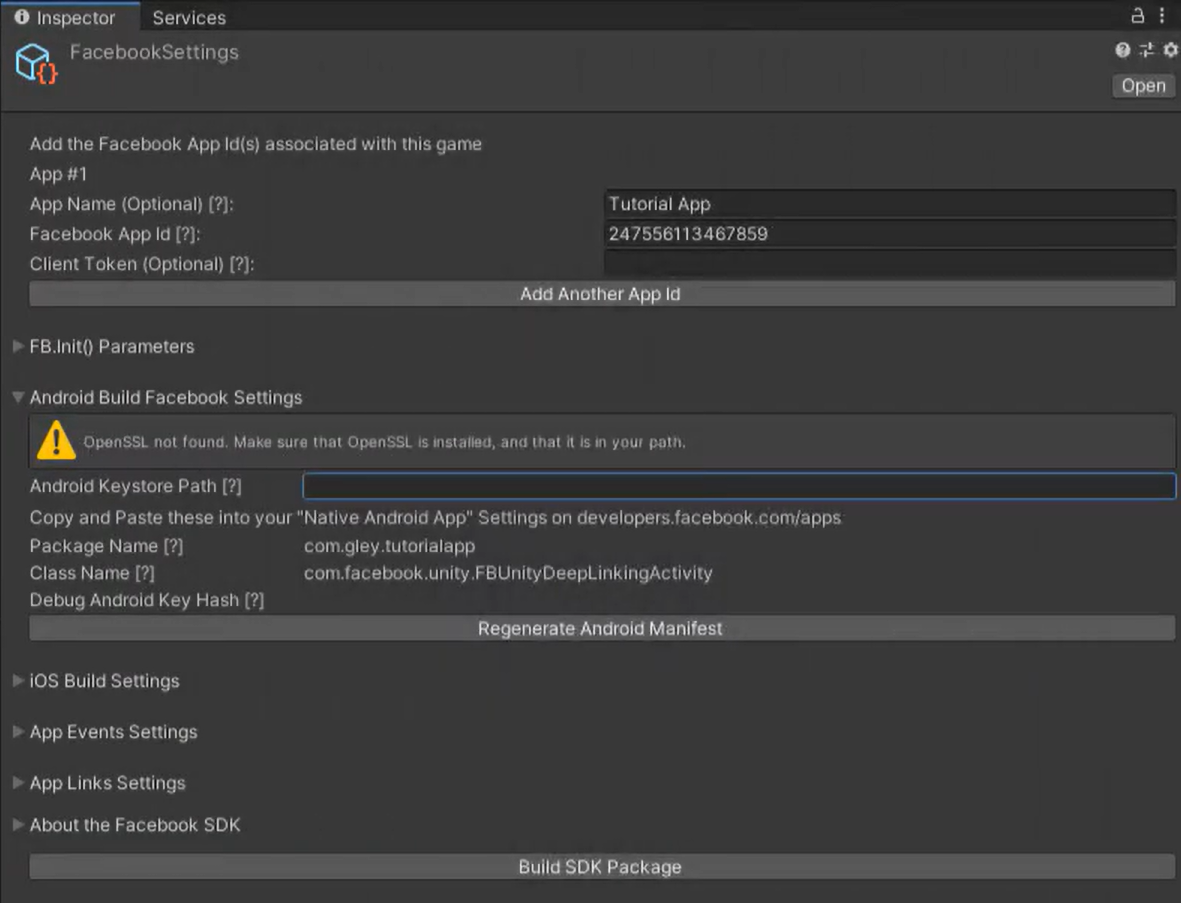
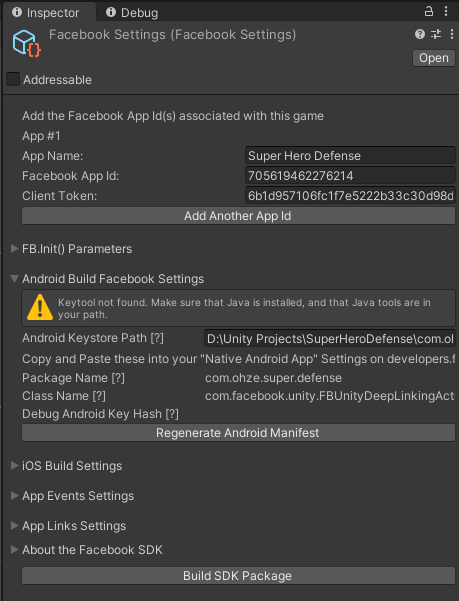
Nguyên nhân
Do chưa cài đặt môi trường SSL và Java
Giải pháp
OpenSSL not found
- Download and install OpenSSL.
Win32/Win64 OpenSSL Installer for Windows - Shining Light Productions
Win32 OpenSSL v#.#.# (not Light)
OR Win64 OpenSSL v#.#.# (not Light) - Add the OpenSSL directory to your path.
Go to:Control Panel→System→Advanced system settings→Environment Variables
Select the VariablePathin the “System variables” window and click Edit. - Add the path to your OpenSSL bin folder to the end of the “Variable value” text. e.g. I added
;C:\Program Files\OpenSSL-Win64\binto the end of the value text.
→ Take note, do not forget to add semi-colon;before theC:/ - Restart computer.